
- A 10-digit Unique Taxpayer Reference (UTR) issued by HMRC for UK businesses.
- Sole traders who register for Self Assessment and limited companies both get a UTR.
- You’ll get a UTR number when you register for a self assessment tax return online or set up a limited company.
- You can find your company’s UTR on previous tax returns and other documents from HMRC, such as notices to file a return or payment reminders. Your Personal Tax Account and the HMRC app show your individual UTR, not your company’s.
What is a company UTR number, and how do you apply for one?
A UTR (Unique Taxpayer Reference) number is a 10-digit identifier (e.g., 0123456789) issued by HMRC to businesses registered in the UK. You get a UTR when you register for Self Assessment or set up a limited company. A sole trader or partner does not get one for trading as such – the UTR arrives on registering for Self Assessment.
If you registered a dormant company and did not receive a utr number, you can apply for one by telling HMRC that your company is now ‘active’ for corporation tax.
How do I get a UTR number for my limited company?
When you register your company with Companies House, you will usually be set up for Corporation Tax at the same time, unless the company is dormant. If that step was skipped, add Corporation Tax services to your business tax account. HMRC posts the UTR to the business address registered with Companies House, usually around 15 days after you register. It takes longer if you live overseas.
If you haven’t received your UTR after this period, you can contact HMRC directly at 0300 200 3410 for assistance. Your UTR is essential for managing corporation tax and filing returns, so ensure it is safely recorded once received.
With the UTR in hand, the next job is a company account to run those tax payments through. Revolut Business opens one online, with a £100 welcome bonus for new business customers.
Also related: HMRC Tax Identification Number (TIN) Simplified!
How do I get a unique taxpayer reference number for my dormant company?
You must tell HMRC within 3 months of starting your tax accounting period that your company is now active – active means trading, buying and selling, providing services, earning interest, managing investments, or receiving any other income. To achieve this, you will need to —
Step 1: Gather the relevant information, which includes —
- Company registration number;
- The company’s principal place of business;
- The name and the home address of all company officials;
- Nature of your business activity;
- The date the company’s accounting period started;
- Date your annual accounts are made up to.
Step 2: Sign in to the HMRC registration service.
Once you have this information, log in to the HMRC online service using your Gateway ID and password.
After signing in, you can select the enrol for company tax option and follow the prompts.
Step 3: Receive Directions for paying corporation tax.
HMRC will tell you the deadline for paying taxes.
You’ll need to file a corporate tax return, even if you make a loss or have no tax to pay.
You can also register for corporation tax in writing.
Your letter must include —
- Your company name and registration number;
- Date when the accounting period starts;
- The date to which the company intends to prepare accounts;
- The company’s principal place of business;
- Description of the company’s core business activities;
- Full name and residential address of each board member.
In case the company has acquired another business, provide the name and address of the previous entity, along with the name and address of the individual from whom the acquisition was made.
If the company adheres to the Income Tax (PAYE) Regulations 2003, indicate when this obligation occurred.
Make sure a company director or company secretary signs the document and includes a declaration that the information is correct and complete to the best of their knowledge.
Send the letter to:
Corporation Tax Services,
HM Revenue and Customs.
BX9 1AX,
United Kingdom.
How do I register for a UTR number under the Construction Industry Scheme (CIS)?
You need a UTR to use the online CIS service. If you do not have one, register as a new business for Self Assessment and choose ‘working as a subcontractor’ when prompted – you are registered for Self Assessment and CIS at the same time. Subcontractors do not have to register for CIS, but if they do not, deductions are taken from their payments at a higher rate.
Find out more: GOV.UK Construction Industry Scheme (CIS) Explained
Where can I find my company UTR number?
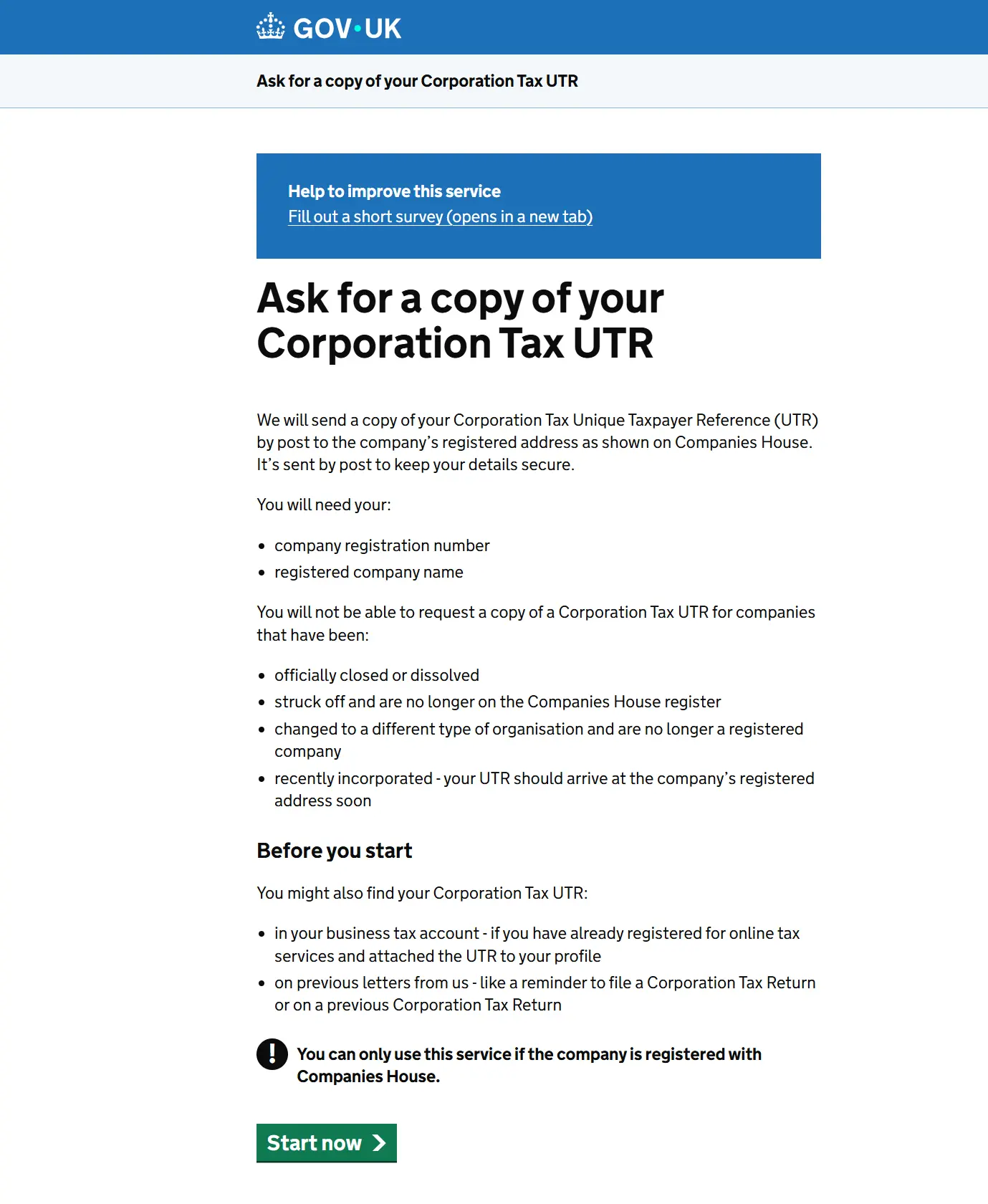
If you have a limited company, you can request a copy of your Corporation Tax UTR online – HMRC posts it to the business address registered with Companies House.
We tested HMRC’s online Corporation Tax UTR request process using Your Company Formations’ own details. The service says HMRC sends the copy by post to the company’s registered address shown on Companies House. To start the request, you need the company’s registration number and registered company name. The screens shown before submission do not give a specific delivery timeframe for the copy.
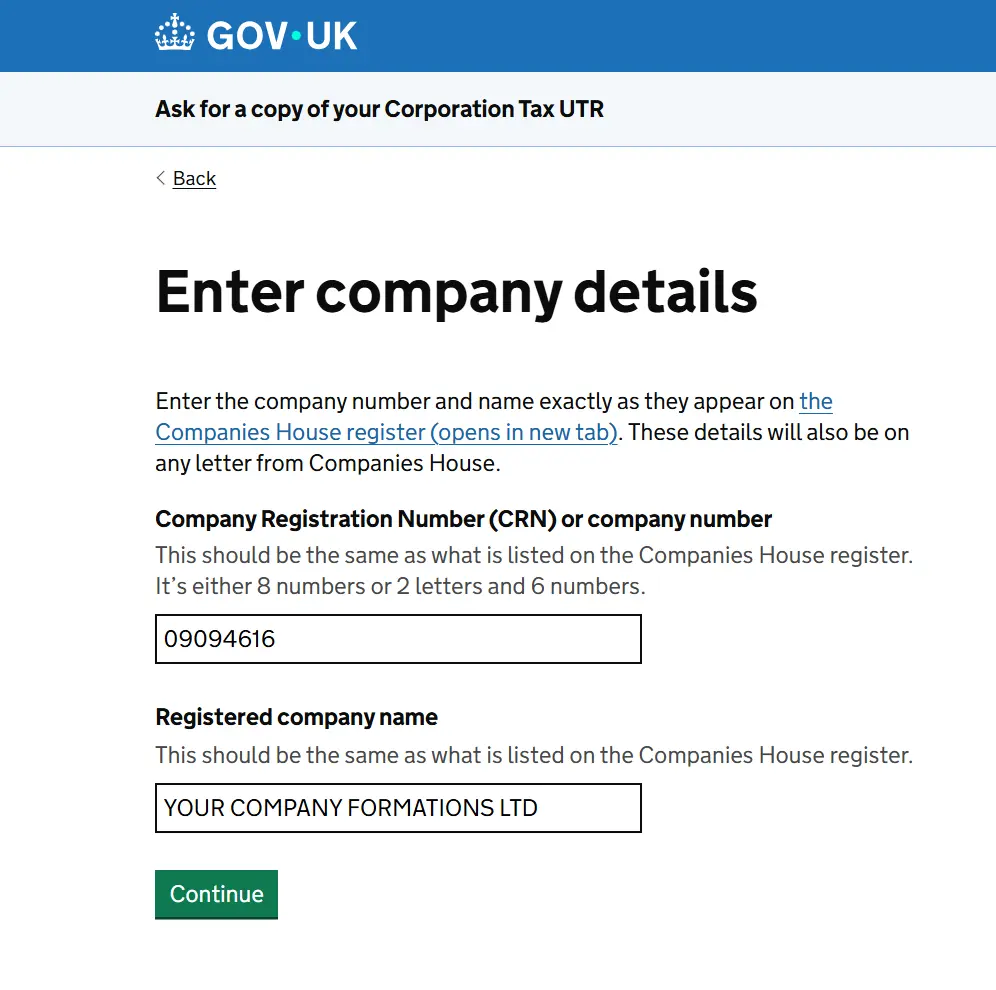
On the next screen, HMRC asks for the Company Registration Number and registered company name, entered exactly as they appear on the Companies House register. We entered Your Company Formations’ registered details and continued to the review stage.
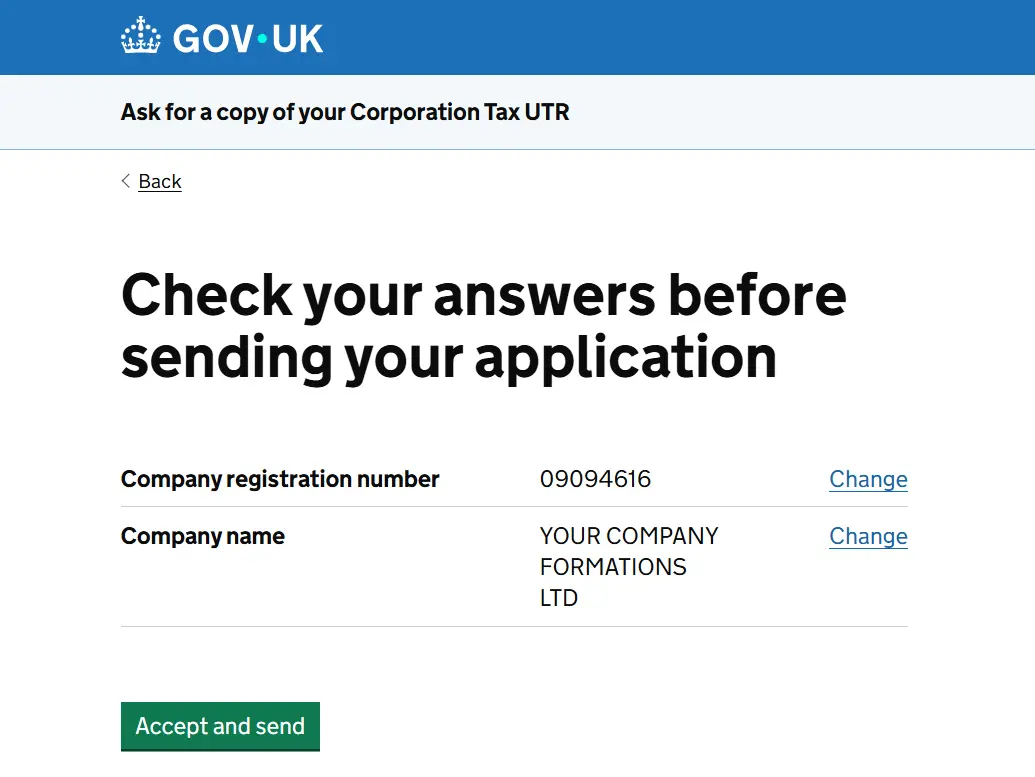
HMRC then shows a final “Check your answers before sending your application” page with the company number and company name, plus options to change either detail. The next button is “Accept and send”. We stopped at this point and did not submit the request.
Your company’s UTR number can be found on various documents and platforms. It is typically included in correspondence from HMRC, such as tax returns or notices to file returns. Your Personal Tax Account and the HMRC app show your individual UTR. For the company’s UTR, use HMRC correspondence or request a copy online.
If you cannot find it, request your Corporation Tax UTR online (link above). If you need to speak to someone, Corporation Tax general enquiries is 0300 200 3410, from outside the UK +44 151 268 0571, Monday to Friday 8am to 6pm – advisers cannot read the UTR out over the phone, they post a copy. HMRC posts a copy – allow around 15 days. Keeping track of this number is essential for managing your company’s tax affairs.
See also: How to get a UTR number
Can I use my own Unique Taxpayer Reference number as my company’s UTR?
No, you cannot use your personal unique taxpayer number as your company’s UTR. A personal UTR is issued to anyone who registers for self-assessment. HM Revenue & Customs issues a corporation UTR after incorporation and uses it to identify the company for Tax purposes.
Personal vs Company UTR Numbers
While UTR numbers are assigned to individuals and companies in the UK, they are not interchangeable. Each serves a distinct purpose in the tax system. Personal UTR numbers are specific to individuals and used for self-assessment, while company UTR numbers are issued to limited companies for corporation tax purposes.
If you also need to be VAT registered, our VAT registration service handles the application for £60 + VAT.
If your UTR has just landed and the company still has no account of its own, open a Revolut Business account and claim the £100 welcome bonus.
| Revolut Business | Airwallex | Wise Business | |
|---|---|---|---|
| Best for | Day-to-day UK business banking with multi-currency built in. | Collecting payments in other currencies with local account details. | Paying and getting paid abroad at the real exchange rate. |
| Currencies | Hold, exchange and send in over 30 currencies at the real exchange rate. | Local account details in more than 20 currencies; send in over 60 currencies to more than 200 countries. | Hold and convert multiple currencies, with a debit card that spends abroad. |
| Cards and spending | Physical and virtual cards for your team with spending limits. | Company and employee cards with individual limits. | Wise debit card. |
| Accounting | Syncs with Xero and QuickBooks. | Connects to Xero and QuickBooks. | Integrates with Xero. |
| How your money is protected | Eligible deposits held with Revolut Bank UK are FSCS-protected, up to £120,000 per person per bank. | Not a bank: an electronic money institution, so your money is safeguarded rather than FSCS-protected. | Not a bank: an FCA-authorised electronic money institution, so your money is safeguarded rather than FSCS-protected. |
| Welcome offer through our link | £100 welcome bonus for new business customers who open an account and add money by 31 December 2026. Fees, promotion terms and T&Cs apply. | One month free on an eligible Explore or Grow plan. Eligibility and T&Cs apply. | Not stated. |
| Claim Your £100 Bonus | Open an Airwallex account | Open a Wise Business account |





Corporation Tax number and UTR number same or different please? Soon after submitted application, I have received Corporation Tax Reference Number start with BRCT000… Is this the UTR Number?
Hi Rong, they are different. Your company’s Corporation Tax UTR is a 10-digit number issued by HMRC. A reference starting with “BRCT000…” that you receive after submitting an application is not the UTR. HMRC normally sends the company UTR by post to the registered office address. If you have not received it within 15 working days of registering the company, you can request a copy of your Corporation Tax UTR online through GOV.UK.